Split group expenses. Skip the mental math.
Quitso tracks who paid what and who owes whom — completely free, with no ads and no sign-up. Create a group and start in seconds.
 Quitso
Everything you need, nothing in the way
No account needed
Create a group or join one with a 9-digit code or invite link. No email, no password, no registration — just open the app and go.
Balances, done for you
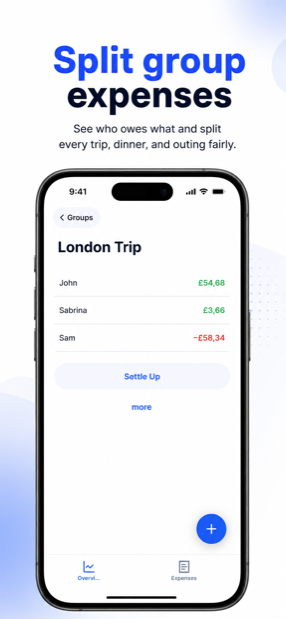
Quitso calculates who owes whom, down to the cent, in your group's currency — CHF, EUR, USD or whichever you pick. Settle up with the fewest possible payments or pay off each debt directly. Your choice.
Works fully offline
Add expenses in the mountains, on a plane or at a festival. Everything syncs automatically as soon as you're back online.
Free. No ads. Really.
No advertising, no in-app purchases, no premium tier. Every feature is included for everyone.
33 languages
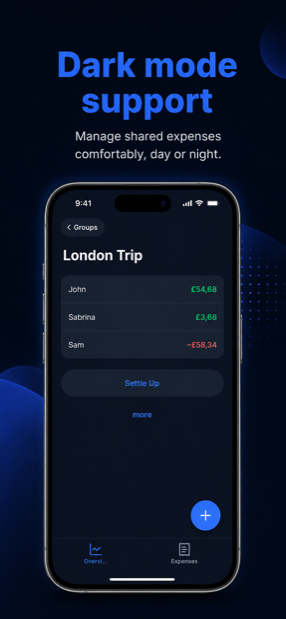
Quitso speaks your group's language — 33 languages, including right-to-left scripts. Dark mode included.
Find any expense
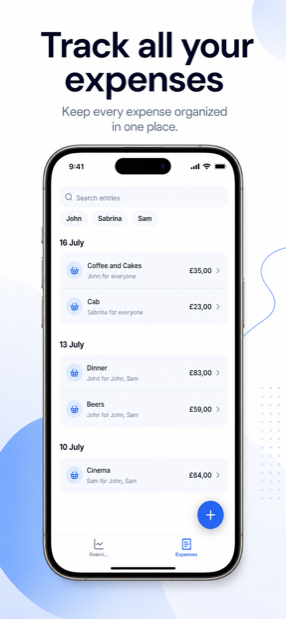
Search expenses by title and filter by person, so even a long trip stays easy to review.
Ready in three steps
Create a group
Open Quitso, create a group and pick a currency. Done in under a minute — no sign-up required.
Share the code
Friends join with the 9-digit group code or your invite link. They don't need an account either.
Add expenses & settle up
Log who paid what. Quitso keeps every balance up to date and shows you the simplest way to settle up.
Practical guides for fair group finances
How to Split Bills with Friends (Without the Awkward Math)
Fair ways to split dinners, groceries and events — and how to track who owes whom without a spreadsheet.
How to Split Travel Expenses on a Group Trip
Kitty or track-and-settle? How to share trip costs fairly — even when not everyone joins every dinner.
Roommate Expenses: How to Split Rent and Household Costs Fairly
How to split rent, groceries, and utilities with roommates — and settle up once a month without awkwardness.
How to Settle Up Group Debts With the Fewest Payments
Why paying everyone back directly wastes transfers — and how four friends settle with just two payments.
Bill Splitter App Without an Account: Split Bills With No Sign-Up
Why forcing your whole group to register kills expense splitting — and how a 9-digit code does the job instead.
Frequently asked questions
Is Quitso really free?
Yes — Quitso is 100% free with no ads, no in-app purchases, and no premium limits. Every feature, from unlimited groups and expenses to settle-up suggestions, is included for everyone.
Do I need an account to use Quitso?
No. Quitso works without any sign-up or registration — no email, no password, for you or your friends. Just open the app, create a group, and start adding expenses. Learn more →
How do friends join my group?
Share your group's 9-digit code or send an invite link. Friends enter the code or tap the link and they're in — nobody has to create an account. Learn more →
Does Quitso work offline?
Yes, Quitso is fully usable offline. You can add expenses and payments without an internet connection, and everything syncs automatically once you're back online.
How do we settle up at the end of a trip?
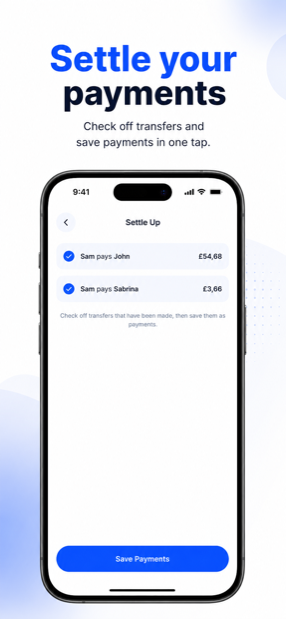
Quitso calculates who owes whom down to the cent and suggests how to settle — either with as few payments as possible or as direct debts between the people involved; you choose in the group settings. A shared checklist lets you tick off each payment, and it syncs for the whole group. Learn more →
What makes Quitso different from other bill-splitting apps?
Quitso is completely free with no ads and no features locked behind a subscription, and nobody needs an account to join a group. It also works fully offline and syncs automatically later.
Is Quitso available for Android?
Quitso is launching on iOS first, and an Android version is planned to follow. You can find the iOS app in the App Store as "Quitso: Split Bills & Expenses".